serhii.net
In the middle of the desert you can say anything you want
-
Day 56 (25 Feb 2019)
Day 056
Stack
- I should actually spend 1h a day for thinking about business and passive income.
- Add a cron job to automagically move all undone tasks from the last sprint/week to the current one.
- Add all the German language I put together a couple of Days ago to Anki
DNB and Typing
d3b 70% Mon 25 Feb 2019 12:16:05 PM CET
d3b 79% Mon 25 Feb 2019 12:17:50 PM CET
d3b 64% Mon 25 Feb 2019 12:19:26 PM CET
d3b 57% Mon 25 Feb 2019 12:21:00 PM CET
d3b 86% Mon 25 Feb 2019 12:22:34 PM CET
d3b 86% Mon 25 Feb 2019 12:24:38 PM CET
d3b 71% Mon 25 Feb 2019 12:27:23 PM CET
d3b 50% Mon 25 Feb 2019 12:28:57 PM CET
-
Day 51 (20 Feb 2019)
Day 051: Phone ADB full backup
Done
Deleted VK account. Saw another Verteidigung. Backed up my Android. Finished a ton of small things that I was postponing for weeks.
Backing up Android phone via ADB
Using this tutorial:
adb backup -apk -shared -all -f backup-file.adbTo restore:
adb restore backup-file.adbLedger
-Mgives monthly transactions.
-
Day 45 (14 Feb 2019)
Day 045: Finishing moving Wordpress to Jekyll
Cooking
As I was looking for ideas for small businesses, I found this nice website with small easy microwave recipes: https://www.minmaxmeals.com/recipes/garlic-oatmeal/, and I’ll try today the linked one. In general having such a database of go-to dishes would be quite nice, because I forget about mine often.
Jekyll
Categories
For categories, I again used this nice tutorial.
Excerpt separator
When outputting posts,
{%raw%}{{post.excerpt}}{%endraw%}either takes the first paragraph or a separator. The separator can be set inconfig.yml: `excerpt_separator:`
Posts visibility
published: falsein the front matter. I like this more than the official draft mechanism.Vim
Deleting tags surrounding something
A really elegant way to delete the tags surrounding something:
yitvatpTag blocks *tag-blocks* For the "it" and "at" text objects an attempt is done to select blocks between matching tags for HTML and XML. But since these are not completely compatible there are a few restrictions. The normal method is to select a
until the matching . For "at" the tags are included, for "it" they are excluded. But when "it" is repeated the tags will be included (otherwise nothing would change). Also, "it" used on a tag block with no contents will select the leading tag.Repeat the last used macro
Just discovered this randomly after a typo.
@@repeats the last @-macro I used. This will save me really a lot of time!Python forcing named arguments in function
In this article, this nice way has been mentioned:
def safe_division(*, number, divisor, ignore_overflow, ignore_zero_division):It forces all arguments after*to be named during call:>>> safe_division(number=10**1000, divisor=3**-100, ignore_overflow=True, ignore_zero_division=False)Stack
- Learn both the NATO Phonetic Alphabet and the German one.
-
Day 43 (12 Feb 2019)
Day 043: TYPNIG and vim emojis - and a lot of real life not otherwise specified.
Stack
Add all the new English and German vocabulary to anki, finally.
DNB and Typing
I BROKE MY TYPING RECORD!!1111111111
(Can jekyll and/or vim do smileys? Apparently it can if you enter the Unicode value of the emoji directly
Test:
😊
WOOOOOOOHOOOOOOO
Also I still can just paste them.
Okay, then behold.)
✨✨✨🌈✨✨✨✨✨🌈🌈🎊🎊🎊🎊🎊🎉🎊🎊🎉🎉🎉✨✨🔥🌈🌈✨✨✨🌈✨✨✨✨✨🌈🌈🎊🎊🎊🎊🎊🎉🎊🎊🎉🎉🎉✨✨🔥🌈🌈✨✨✨🌈✨✨✨✨✨🌈🌈🎊🎊🎊🎊🎊🎉🎊🎊🎉🎉🎉✨✨🔥🌈🌈✨✨✨🌈✨✨✨✨✨🌈🌈🎊🎊🎊🎊🎊🎉🎊🎊🎉🎉🎉✨✨🔥🌈🌈✨✨✨🌈✨✨✨✨✨🌈🌈🎊🎊🎊🎊🎊🎉🎊🎊🎉🎉🎉✨✨🔥🌈🌈✨✨✨🌈✨✨✨✨✨🌈🌈🎊🎊🎊🎊🎊🎉🎊🎊🎉🎉🎉✨✨🔥🌈🌈✨✨✨🌈✨✨✨✨✨🌈🌈🎊🎊🎊🎊🎊🎉🎊🎊🎉🎉🎉✨✨🔥🌈🌈✨✨✨🌈✨✨✨✨✨🌈🌈🎊🎊🎊🎊🎊🎉🎊🎊🎉🎉🎉✨✨🔥🌈🌈✨✨✨🌈✨✨✨✨✨🌈🌈🎊🎊🎊🎊🎊🎉🎊🎊🎉🎉🎉✨✨🔥🌈🌈✨✨✨🌈✨✨✨✨✨🌈🌈🎊🎊🎊🎊🎊🎉🎊🎊🎉🎉🎉✨✨🔥🌈🌈✨✨✨🌈✨✨✨✨✨🌈🌈🎊🎊🎊🎊🎊🎉🎊🎊🎉🎉🎉✨✨🔥🌈🌈✨✨✨🌈✨✨✨✨✨🌈🌈🎊🎊🎊🎊🎊🎉🎊🎊🎉🎉🎉✨✨🔥🌈🌈
I still have no idea how that happened, but it’s quite interesting. We’ll see if and how that continues.
Race #  Speed   Accuracy    Points  Place   Date
83  119 WPM     99.5%       75      2/5     today
82  87 WPM      97.7%       113     1/2     Feb. 8, 2019
81  93 WPM      98.5%       174     1/5     Feb. 7, 2019
80  87 WPM      97.2%       130     4/5     Feb. 7, 2019
79  87 WPM      97.0%       69      3/5     Feb. 7, 2019
78  101 WPM     98.5%       119     2/5     Jan. 31, 2019
77  87 WPM      97.2%       102     2/5     Jan. 31, 2019
Vim
And again, for unicode characters inside vim:
<C-v>U1F60A<esc>Also, for the table above, to make it align right, I had to change the tabs to spaces. Select and
:retab.
-
Day 42 (11 Feb 2019)
Day 042: "A project manager's lessons learned"; vim
Linux
Improving performance on the Arch wiki has nice ideas.
hdparm -t /dev/sdXto measure read speed.I will later possibly go through the entire page methodically.
DNB and Typing
Typing
typing.com has nice lessons about typing numbers, which I like a bit more than EdClub’s. Next up their advanced symbols to finally learn using the right Shift.
DNB
d3b 21% Mon 11 Feb 2019 12:13:52 PM CET
d3b 43% Mon 11 Feb 2019 12:17:04 PM CET
d3b 57% Mon 11 Feb 2019 12:18:47 PM CET
d3b 71% Mon 11 Feb 2019 12:20:35 PM CET
d3b 21% Mon 11 Feb 2019 12:22:25 PM CET
Python
Decided to read Dive into Python to finally get a systematic understanding of all of the language.
The most important audience for your code is yourself, six month after writing it.
- Float is accurate to up to 15 decimal places. Why there are more on my system?
- Why is the “//” operator working like it does with positive/negative numbers?
Vim
Limelight.vim is a really cool plugin. Found it linked here
Interesting
Nasa’s 128 lessons of a project manager. Highlights:
None of these are original–It’s just that we don’t know where they were stolen from!
- Wrong decisions made early can be salvaged, but “right” decisions made late cannot.
- Never make excuses; instead, present plans of actions to be taken.
- One of the advantages of NASA in the early days was the fact that everyone knew that the facts that we were absolutely sure of could be wrong
- If you have a problem that requires the addition of people to solve, you should approach recruiting people like a cook who has under-salted, i.e., a little at a time. 25 Know the resources of your center and if possible other centers. Other centers, if they have the resources, are normally happy to help. It is always surprising how much good help one can get by just asking.
- Redundancy in hardware can be a fiction. We are adept at building things to be identical so that if one fails, the other will also fail. Make sure all hardware is treated in a build as if it were one of a kind and needed for mission succes
- It is mainly the incompetent that don’t like to show off their work.
- Mistakes are all right, but failure is not. Failure is just a mistake you can’t recover from; therefore, try to create contingency plans and alternate approaches for the items or plans that have high risk.
- Here it’s quite interesting how you have two different attitudes to plan-B. I guess the more costly failure is, the more okay Plan-Bs are considered.
- NASA Management Instructions (NMI’s) are written by another NASA employee like yourself; therefore, challenge them if they don’t make sense. It is possible another NASA employee will rewrite them or waive them for you.
- A working meeting has about six people attending. Meetings larger than this are for information transfer.
- All problems are solvable in time, so make sure you have enough schedule contingency– if you don’t, the next project manager that takes your place will.
- Just because you give monthly reports, don’t think that you can abbreviate anything in a yearly report. If management understood the monthlies, they wouldn’t need a yearly.
- Sometimes the best thing to do is nothing. It is also occasionally the best help you can give. Just listening is all that is needed on many occasions. You may be the boss but, if you constantly have to solve someone’s problems, you are working for him.
- Remember, it is often easier to do foolish paperwork than to fight the need for it. Fight only if it is a global issue which will save much future work.
- You cannot watch everything. What you can watch is the people. They have to know you will not accept a poor job.
- The first sign of trouble comes from the schedule or the cost curve. Engineers are the last to know they are in trouble. Engineers are born optimists.
- There is no greater motivation than giving a-good person his piece of the puzzle to control but a pat on the back or an award helps.
- Don’t assume you know why senior management has done something. If you feel you need to know, ask. You get some amazing answers that will dumbfound you.
- If you have someone who doesn’t look, ask, and analyze, ask them to transfer.
- There are still some individuals who think important decisions are made in meetings. This is rarely the case. Normally, the decision-makers meet over lunch or have a brief meeting to decide the issue and than (at a meeting called to discuss the issue) make it appear that the decision is made as a result of this discussion.
- In political decisions, do not look for logic – look for politics.
- In dealing with international partners, the usual strategy is to go 1 day early, meet with your counterpart, discuss all issues to be brought up at a meeting, arrive at an agreeable response (or a decision to table the issue for later discussion), and agree not to take any firm positions on any new issues brought up at the meeting. This makes it appear to the rest of the world that you and your counterpart are of one mind and that the work is in good hands. All disputes are held behind closed doors with the minimum number of participants.
- Too many people at Headquarters believe the myth that you can reduce the food to the horse every day till you get a horse that requires food. They try to do the same with projects which eventually end up as dead as the horse.
Although it’s not part of Jerry’s written Lessons Learned, he consistently told his people the following (unwritten lesson):
“Show up early for all meetings; they may be serving doughnuts”
Finally, Les Meredith (former Director of Space Sciences and Acting Center Director) had this remark to make about Jerry Madden’s 128 Project Managers’ Lessons Learned:
“God only gave us Ten Commandments. Jerry has listed over a hundred instructions for a Project Manager. It is evident a lot more is expected from a Project Manager”
Deutsch
sich mit etw.(Dat) befassen: undertake/concert/deal/occupy/dabble in/with/whatever
Places
https://foursquare.com/v/true-burger-bar/52b02c4211d241652e021bdf – True Burger Bar in Kyiv
-
Day 40 (09 Feb 2019)
Day 040: Shabbat
Finished “Old Mariner’s ballad”!
Read a number of pages of La Divina Commedia in a format that TIL is called bilingual parallel text, Italian and 1910s-German. It was absolutely fascinating on all possible levels..
Then I painted some random Gothic letters after getting inspired by the German Font the book.
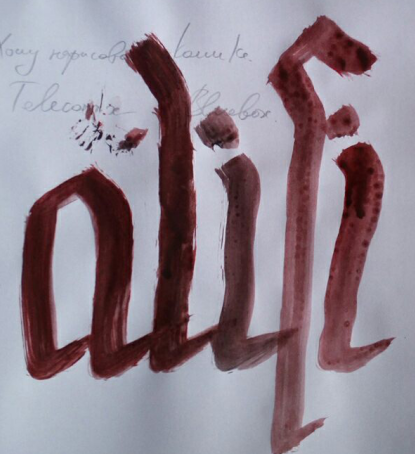 {:height=“500px”}.
-
Day 39 (08 Feb 2019)
Day 039: Backups, Linux
Goals for today:
-
learn the number line on the keyboard
-
see what I want to do with my domains and projects
-
Finish my backup system, and do one big backup of everything
-
look at my steno thing and decide what I want to do with it
-
ssh keys for everything
-
finish the basic 3 stones game bot thing, especially the turns part
-
clean everything old and unneded from pchr8.net, to make backups easier and to save money
-
Download maximum audios and videos from my VK accounts
-
move my blog to jekyll?
Linux
Jekyll new post creation
Okay, the first nice thing that happened today is that I finally automated creating new Jekyll posts! Behold
create.sh:FILE=$(date +%Y-%m-%d)-day$(date +%j).markdown DATE=$(date +%Y-%m-%d\ %H:%M:%S\ +0100) echo "Creating file $FILE" touch $FILE echo "Adding stuff" /bin/cat <<EOM >$FILE --- layout: post title: "Day $(date +%j)" date: $DATE categories: [] --- ### Bash and zsh wildcards From [this SO answer](https://serverfault.com/questions/47933/how-to-delete-all-hidden-files-and-directories-using-bash) I learned that bash and zsh treat wildcards differently: > With zsh by default an empty wildcard match is treated as an error; whereas with bash it is simply passed unchanged. To make zsh behave the same way you can use the command unsetopt nomatch ## Stack ## DNB and Typing Check out the [Jekyll docs][jekyll-docs] for more info on how to get the most out of Jekyll. File all bugs/feature requests at [Jekyll’s GitHub repo][jekyll-gh]. If you have questions, you can ask them on [Jekyll Talk][jekyll-talk]. [jekyll-docs]: https://jekyllrb.com/docs/home [jekyll-gh]: https://github.com/jekyll/jekyll [jekyll-talk]: https://talk.jekyllrb.com/ EOMBash backup scripts
And while we’re at it, here are some of my yesterday’s backup scripts:
echo "=== Backing up NFS... ==="
echo "= SQL... ="
name=$(date '+%Y%m%d_%H%M%S')

ssh pchr8_pchr8@ssh.phx.nearlyfreespeech.net "mysqldump --all-databases --user=XXX --password=XXX4 --host=XXX > pchr8_mysql_backup_$name.sql
echo "Moving it to its location..."
mv pchr8_mysql_backup_$name.sql ../all/pchr8/db
echo "SQL done."
#echo "Making a tar archive of everything..."
#ssh pchr8_pchr8@ssh.phx.nearlyfreespeech.net "cd /home/public; tar cf " > pchr8_mysql_backup_$name.sql
echo "starting backup!" echo "Creating mysql dump:" name=$(date '+%Y%m%d_%H%M%S') mysqldump --all-databases >> "arith-mysql-$name.sql" echo "created!" echo "adding stuff to the borg thing" borg create /path/to/backups/arith_borg_repo::arith_complete-$name /var/www arith-mysql-$name.sql /etc/apache2/ echo "creating archive" tar cf arith_repo.tar.gz arith_borg_repo/ echo "archive created!"Stack / Random
- Do this for my remappings instead of
xmodmap - At the end of the day I should really make a more optimal search through this blog.
- Should I learn by heart the COICOP, just for fun? Memory palaces + anki?
DNB and Typing
Changed my startup xkb line to
setxkbmap -option -option 'compose:rctrl, grp:rwin_toggle' umlauted,ruuaso I still get the right Shift which I can learn to use!Also I really like typingclub.com, and the next couple of days will try to force myself to type right, with the correct Shift, without bottoming out my keys, and typing the numbers and special symbols without looking and with the right finger. Also not forgetting about posture and the right position of my hands.
Quotes
“I don’t count my situps, I only start counting when it starts hurting, when I feel pain, that’s when I start counting, cause that’s when it really counts.” -Muhammed Ali (As quoted by Arnold Schwarzenneger in his speech)
Also from that same speech:
People perform better when they have no safety net
English
Sedition is overt conduct, such as speech and organization, that tends toward insurrection against the established order.
-
-
Day 37 (06 Feb 2019)
Day 37. Python and game theory
Aaand after a short downtime we start again! Today I will be reviewing again all the basics of Python OOP and playing with some game theory by programming a simple simulator, having open the PEP 8 — Style Guide, and focusing on not bottoming-out my keyboard keys.
Python
- Ankify
import randomandrandInt(x, y) - This is how
__init__and inheritance work in Python.
Scratchbox/stack
- How does the
aproposthing work? Do I need to create a database for it? I think it worked out of the box before.- I needed to run
mandbas root, and apparently need to do it every time a enew man page is added
- I needed to run
- Ankify
-
Day 31 (31 Jan 2019)
Day 21. DT Exam
Scratchbox/stack
- Why does Telegram open files in different programs than Telegram? Look again into xdg and the different mechanisms for this.
- I should try to make a Rührei sometime.
- And at this point I think I should remove the ‘purely technical’ part from the blog description, since until now there was more cooking than solved technical problems.
- DONE
- I should buy a garment steamer! Dampfglätter
DNB and typing
-
d3b 43% Thu 31 Jan 2019 08:36:05 AM CET
-
d3b 36% Thu 31 Jan 2019 08:40:41 AM CET
-
87 WPM 97.2%
-
96 WPM 98.7%
-
101 WPM 98.5%
Bash
Updated my timer script, now it outputs the time when the timer was set along with the reminder.
tm() { local N="$1"; shift (utimer -c > ~/s/sounds/outbash $N && mpg123 -q ~/s/sounds/tib.mp3 & zenity --info --title="Time's Up" --text="${*:-BING} \n\n $(date +'%H:%M:%S %d/%m')") }\nfor the newline,$()to insert command output in variable (though if I understand right backticks would have also worked), anddate’s format because I will probably remember the year.EDIT Doesn’t output the date when the timer was set, only when executed :C Need to move it to its own variable, I gues TODO for tomorrow. EDIT2 DONE!
tm() {
    local DATE=$(date +'%H:%M:%S %d/%m')
    local N="$1"; shift
  (utimer -c > ~/s/sounds/outbash $N && mpg123 -q ~/s/sounds/tib.mp3  &
      zenity --info --title="Time's Up" --text="${*:-BING} \n\n $DATE")
}
Python
The
googletranspython module uses Google Translate’s web api to translate text. Look extremely useful, I should make a small CLI script for this. I seem to translate random stuff quite often.Deutsch
- der ZAhler — whoever pays. Der ZÄhler — counter.
Quotes
Good ol’ alternative productivity. Getting lots of stuff done, but nothing important. Reddit
Digitaltechnik exam finished!
Here’s a really nice burndown about the states of every single project in the history of humanity:
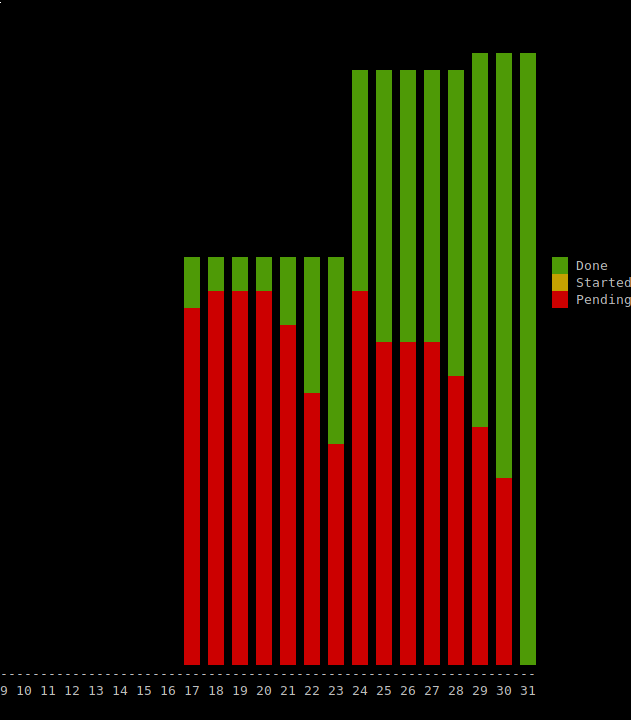 {:height=“500px”}.
-
Day 30 (30 Jan 2019)
Day 20. DT
Typing
https://www.typingclub.com/sportal/program-3/328.play has a Dvorak layout!
Scratchbox/stack
- it would be interesting to make a static structure for these entries. And then make a template for them, with the right name/date/…
- DONE! Made a script for this.
Interesting stuff for later
Stenography! With
ploverand this tutorial. It’s what I was trying to do but much much better on so many levels. The world is a really fascinating place. Installedplover, I will definitely play with it later. “Steno Hero” also exists.
- it would be interesting to make a static structure for these entries. And then make a template for them, with the right name/date/…