serhii.net
In the middle of the desert you can say anything you want
-
Day 1584 (04 May 2023)
pycharm reformat file
TIL Pycharm can automatically reformat files, incl. things like json. The action is “Reformat file”, on my install
<C-S-a-L>
If not all files are seen in pycharm project view:
- In the project view, you can pick which files to show: usually it’s all files form the project, but there’s a settings for “only open files” etc. It being on might make it look like not all files are present
- ALSO, there’s the setting for synchronizing file system at each tab change or action in settings/appearance / system changes / synchronize …, enabled by default for me
- There’s an option for “refresh file system”
-
Day 1583 (03 May 2023)
Obsidian hide specific tag from graph view
A typo in a keybinding randomly led me to the graph view in Obsidian, never thought about it - but now apparently I have a lot of notes and it’s quite pretty!
I wanted to remove the
#zctag from graph view to make it clearer (since ALL notes have it basically.)(177) How to hide tags, but keep notes with them in graph : ObsidianMD mentioned a way to do just that, though I’m not sure I understand it:
-(-path:folder (#tag1 OR #tag2 OR #tag3))For me that’s:
-(-path:garden/it (#zc OR #zc/it))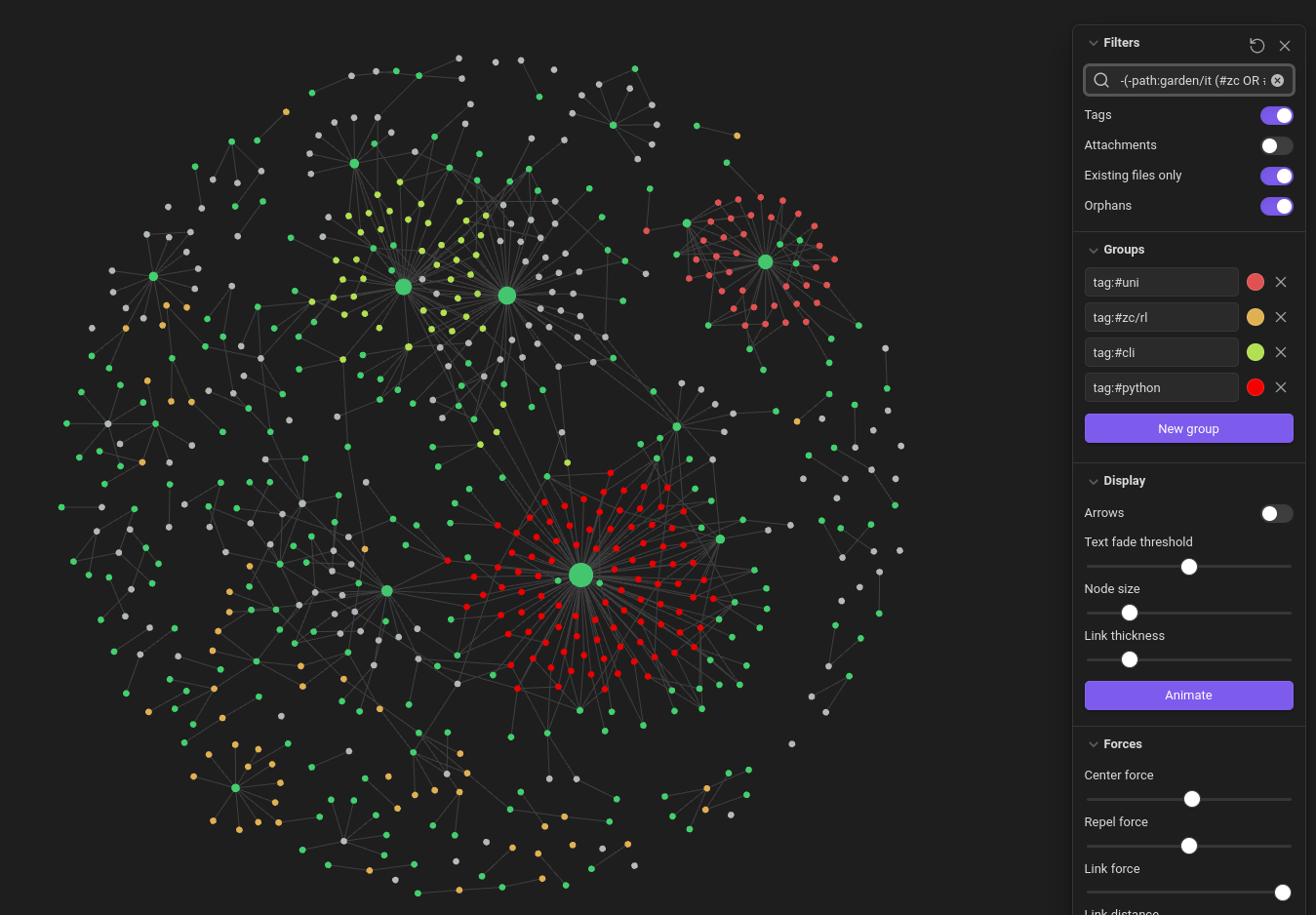
Pandas and jupyter basics I keep looking for: display all rows/cols and make cells 100% wide
# Display all columns and rows:
pd.set_option('display.max_columns', None)
pd.set_option('display.max_rows', None)
# Don't truncate values
pd.set_option('display.max_colwidth', None)
This of course works:
with pd.option_context('display.max_colwidth', None):
  display(df)
Make cells 100% wide in Jupyter:
from IPython.core.display import display, HTML
display(HTML("<style>.container { width:100% !important; }</style>"))
And https://stackoverflow.com/a/51593236 has this function remarkably similar to the old one I’ve had, except that I changed print->display:
def print_full(x):
    pd.set_option('display.max_rows', None)
    pd.set_option('display.max_columns', None)
    pd.set_option('display.width', 2000)
    pd.set_option('display.float_format', '{:20,.2f}'.format)
    pd.set_option('display.max_colwidth', None)
    #print(x)
	display(x)
    pd.reset_option('display.max_rows')
    pd.reset_option('display.max_columns')
    pd.reset_option('display.width')
    pd.reset_option('display.float_format')
    pd.reset_option('display.max_colwidth')
Pandas convert column to categorial
pd.row_name.astype('category')Pandas select numeric columns1:
ds.select_dtypes(include=[np.number])Pandas divide columns by other column2:
(ds.T / ds.col2.T).Tpython - Divide multiple columns by another column in pandas - Stack Overflow
3D plotting in matplotlib: Three-Dimensional Plotting in Matplotlib | Python Data Science Handbook & the official docu: 3D plotting — Matplotlib 3.7.1 documentation
-
Day 1578 (28 Apr 2023)
Seaborn basics
Color palettes
seaborn.color_palette — seaborn 0.12.2 documentation:
sns.color_palette("flare")

# to reverse
sns.color_palette("flare_r")

# to uniform (=not categorical)

sns.color_palette("flare_r",as_cmap=True)
Markers
Properties of Mark objects — seaborn 0.12.2 documentation & matplotlib.markers — Matplotlib 3.7.1 documentation
seaborn plotting pandas pd.Timedeltas
Really nice relevant tutorial: How to handle time series data with ease — pandas 2.1.0.dev0+658.gc9de03effb documentation
Make pd.Timedelta plottable
sns.boxplot(data=s_dsm_conv, y='Dauer', x='Parameter') > TypeError: Neither the `x` nor `y` variable appears to be numeric.pd.TimeDeltais indeed not numeric, but can be made one throughs_dsm_conv['Dauer'] = s_dsm_conv['Dauer'].astype('timedelta64[h]')Pandas filter by deltas
# Gaps longer than one day
real_gaps=gaps[gaps>pd.Timedelta(1,"d")]
-
Day 1577 (27 Apr 2023)
pandas drop non-numeric rows
[Code]-Drop Rows with Non-Numeric Entries in a Column (Python)-pandas shows one way to do this using
pd.to_numeric()1:df['Gm#'] = pd.to_numeric(df['Gm#'], errors='coerce') df = df.dropna(subset=['Gm#'])
-
Day 1576 (26 Apr 2023)
Sorting lines in vim
Sorting
Select the lines to sort, then
:sort.Diffing
When you’re looking at two files in two separate splits,
:diffthisis the magic command.Neat for manually diffing parts of jsons.
Previously: 230313-1423 json diff with jq
-
Day 1574 (24 Apr 2023)
vim iskeyword to change definition of what is a word
Move inside words separated by
_Wanted
w/bin python not to skip over underscores, that is consider underscores word separators.set iskeyword?shows the current/default value:- in vim:
iskeyword=@,48-57,,_,192-255 - in ideavim:
iskeyword=@,48-57,_
Not digging to deep, removing
_gives me the wanted behaviour. Python got even easier now. (Keeping the~/.vimrcas-is though).EDIT: OK, but this breaks
<C-*>and I can’t quickly jump between functions. Sad :( Rolling back…Vim/Ideavim camelcase motion
IdeaVim supports camel case motions! Of course it does:
]w,[w,]b,[bI’m happy for my custom keyboard layout where brackets are REALLY close and usable. I love this.
But for pycharm, remapped them, giving me what I want:
 map w [w
 map e ]w
 map b [b
Black failing with error about safe mode
When using black, this cryptic message
error: cannot format /experiment.py: cannot use --safe with this file; failed to parse source file.happens to me only when I have a stray trailing comma in my imports:
from typing import Optional, Tuple,
- in vim:
-
Day 1572 (22 Apr 2023)
Make files downloadable in an Apache webserver and HTML
Problem: jupyter notebooks being shown as text on my website.
Adding the following to a
.htaccessfile prevents files being “shown” in the browser, as opposed to downloaded1:<FilesMatch "\.(?i:doc|odf|pdf|rtf|txt|ipynb)$"> Header set Content-Disposition attachment </FilesMatch>Also 2 that there’s a HTML syntax for that in links now!
<a href="./my_file.txt" download>